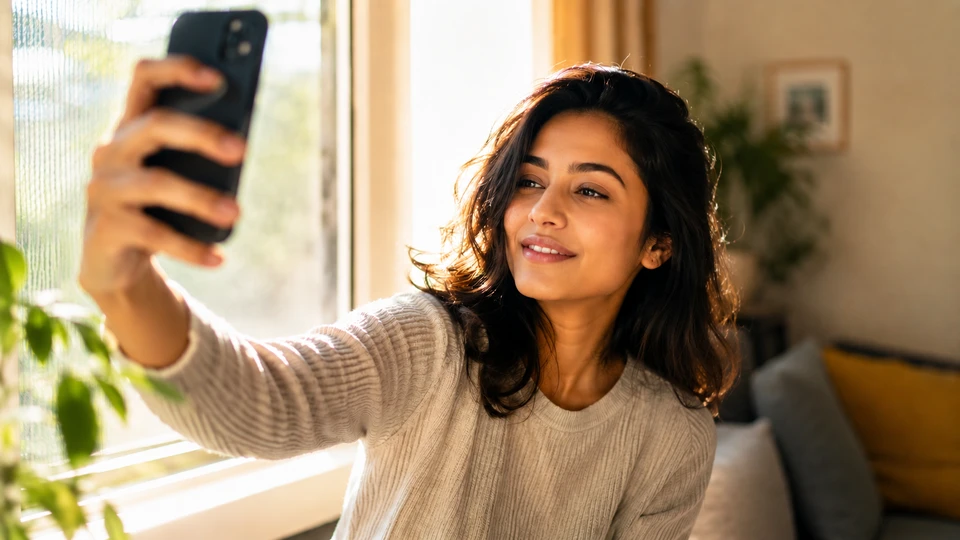
Ever scrolled past a profile because the photo made you pause, then hesitate, then just… keep scrolling? You’re not being harsh. A photo does a lot of talking before you ever say a word. On Chatkk and most places where you meet new people online, your profile photo is often the first thing that decides whether someone stops to say hi.
The good news: you don’t need a professional photographer or a perfect face to get this right. You just need to know what actually works and what quietly pushes people away.
This guide walks through choosing the right profile photo — the small choices that make a real difference, and the common slip-ups that are easy to avoid once you know what to look for.
Why Your Profile Photo Matters More Than You Think
People form a first impression in seconds, long before reading your bio. Your photo sets the tone for every conversation that follows.
Think about it from the other side. If you’re new to a city and browsing a chat room hoping to make new friends, whose profile are you more likely to click on: a blurry photo taken at a party three years ago, or a clear, friendly shot where you can actually see the person’s face? Most people pick the second one, every time.
A good photo doesn’t need to be fancy. It just needs to feel honest and current.
The Dos: What Actually Works
Here’s what tends to catch someone’s eye in a good way, without trying too hard:
- Show your face clearly. No sunglasses, no shadows covering half your features, no photo taken from so far away it’s hard to tell what you look like.
- Use natural light. A photo near a window or outside in daylight almost always looks better than one lit by a dim lamp or a harsh flash.
- Smile like yourself. A relaxed, genuine expression reads as more approachable than a stiff pose or an overly serious look.
- Keep the background simple. A cluttered or busy background pulls attention away from you.
- Pick a recent photo. Something from the last year or so gives an honest sense of what you look like now.
A quick example: picture two profiles side by side. One shows a person mid-laugh at a kitchen table, natural light coming through a window behind them. The other shows a distant, grainy photo from a concert, face barely visible in the dark. Nine times out of ten, people gravitate toward the first one — not because it’s a “better” photo technically, but because it feels like a real person they could actually talk to.
The Don’ts: Common Mistakes to Avoid
Some of these seem harmless but end up working against you:
- Group photos as your main picture. If a stranger can’t tell which person is you, they’ll often just move on rather than guess.
- Heavy filters or edits. A little polish is fine, but if the photo doesn’t look like you in person, it sets up an awkward mismatch later.
- Photos with your face turned away or cropped out. This can come across as evasive, even if that’s not your intention.
- Overly posed or clearly staged shots. A candid moment usually feels warmer than a photo that looks pulled from a catalog.
- Old photos that no longer look like you. It’s a small thing, but it can create an odd first meeting if you ever move a conversation to video chat.
If you’re unsure whether a photo works, ask yourself a simple question: does this look like someone I’d feel comfortable messaging first? If the answer’s no, it’s probably not the right choice for someone else either.
Matching Your Photo to the Setting
Not every photo needs to be the same. A photo that works well for a casual chat room might feel a little too relaxed for a more focused conversation, like one centered on shared interests or career topics. Think about where you’re posting and adjust accordingly — a warm, everyday photo usually works for general chatting, while something a touch more put-together suits spaces meant for deeper or more specific conversations.
You don’t need multiple wardrobes or photo shoots for this. Often it’s as simple as picking between two or three photos you already have and matching the mood to the setting.
A Quick Note on Safety
Your profile photo is a public-facing piece of information, so it’s worth a moment of thought before you post it. A few simple habits go a long way:
- Avoid photos that reveal identifying details you’d rather keep private, like a house number, license plate, or workplace ID badge in the background.
- Skip anything that clearly shows your exact location, like a landmark right outside your home.
- Remember that a profile photo alone doesn’t tell someone everything about you — take your time getting to know someone before sharing more personal details, and keep any early conversations on the platform rather than moving off it right away.
None of this is about being fearful. It’s just good sense, the same way you’d be a little careful about what you share with someone new in any setting.
Bringing It Together
Choosing the right profile photo isn’t about looking perfect. It’s about looking like yourself, in good light, in a way that makes someone feel comfortable saying hello. Skip the overly filtered shots, skip the group photos where you’re impossible to spot, and pick something recent and genuine instead.
A quick disclaimer worth keeping in mind: this is general guidance, not a strict rulebook. Everyone’s comfort level and style are different, so use your own judgment and lean on the platform’s safety tools when you need them.
Once you’ve got a photo you feel good about, the easiest next step is just to put it to use. Head over to chatkk.com, update your profile, and see where a good first impression takes you.
Leave a Reply